A Chromebook laptop is a unique type of device designed to run on Chrome OS, which is a lightweight operating system created by Google. This operating system prioritizes simplicity and ease of use, making it an ideal choice for those who need a straightforward computing experience.
4 Key Features of Chromebooks
Chromebooks are laptops designed around Google’s ChromeOS, a lightweight operating system focused on speed, simplicity, cloud computing, and security. They are particularly popular among students, educators, and users who primarily work online.

1. ChromeOS Operating System
ChromeOS is Google’s lightweight operating system designed specifically for Chromebooks. Unlike traditional operating systems such as Windows or macOS, ChromeOS is built around the Chrome web browser and cloud-based services.
The system is optimized for speed, simplicity, and security. Most tasks are performed through web applications, Android apps from the Google Play Store, and, in some cases, Linux applications. Because ChromeOS requires fewer system resources, Chromebooks can deliver smooth performance even with modest hardware specifications.
Key Characteristics
- Fast boot times, often under 10 seconds
- Simple and user-friendly interface
- Automatic software updates
- Seamless integration with Google services
- Support for web apps, Android apps, and some Linux applications
Benefits
- Easy to learn and use
- Low maintenance requirements
- Consistent performance over time
- Strong integration with Google’s ecosystem
Practical Example
A student can quickly access Google Docs, Gmail, Google Meet, and Google Classroom immediately after logging in, without installing additional software.
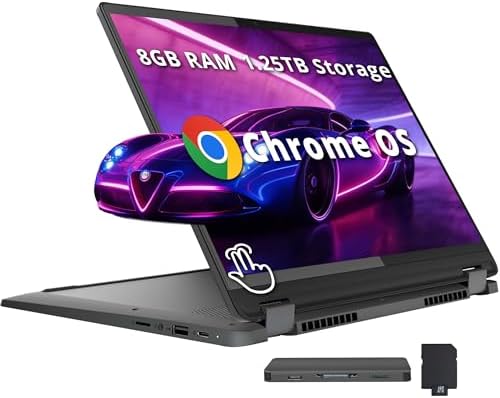
- 【14″ WUXGA Touchscreen Display】14-inch WUXGA (1920×1200) IPS glossy touchscreen display with 300 nits brightness, 45% NT…
- 【Intel Core i5-1334U Processor】Experience a perfect balance of performance and efficiency with a powerful processor, del…
- 【8GB LPDDR4X RAM】Elevate your projects with a high-speed RAM, ensuring faster data processing, seamless multitasking, an…
2. Cloud-Based Storage and Computing
One of the core concepts behind Chromebooks is cloud computing, which means that much of your data, applications, and services are stored and accessed through the internet rather than relying entirely on local hardware.
Google Drive serves as the primary storage platform for many Chromebook users. Files are automatically synchronized across devices, making them accessible from virtually anywhere with an internet connection.
How It Works
Instead of storing all files directly on the laptop:
- Documents can be saved to Google Drive.
- Photos can be stored in Google Photos.
- Applications can run through web browsers or cloud services.
Benefits
- Access files from multiple devices
- Automatic backup and synchronization
- Reduced risk of data loss
- Easier collaboration with others
- Less need for large internal storage drives
Practical Example
A user can begin editing a document on a Chromebook, continue working on it from a smartphone, and later finish it on another computer without manually transferring files.
-

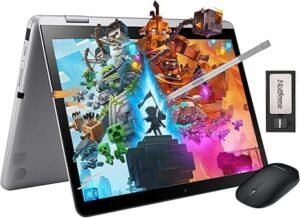
COOLBY HEALBOOK Equipped with up to 12GB of RAM and 512GB SSD drive
-
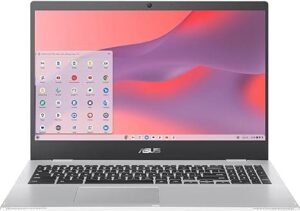
The Asus Chromebook CX1 is a sleek and efficient device designed for both productivity and entertainment. Featuring a stunning 15.6-inch FHD NanoEdge display
-
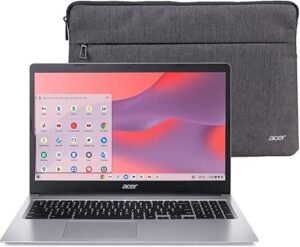
The Acer Chromebook 315 (CB315-3H-C19A) is an ideal laptop for users seeking portability and efficiency
3. Long Battery Life
Long battery life is one of the most valued Chromebook features. ChromeOS is designed to use system resources efficiently, which helps reduce power consumption and extend operating time between charges.
Because Chromebooks typically run lightweight applications and optimized software, they often achieve excellent battery performance even with smaller batteries compared to traditional laptops.
Factors That Improve Battery Life
- Energy-efficient processors
- Lightweight operating system
- Optimized background processes
- Efficient display technologies
- Intelligent power management
Benefits
- Increased mobility
- Fewer interruptions during work or study
- Less dependence on power outlets
- Improved travel convenience
Typical Battery Performance
Many modern Chromebooks provide:
- 8 to 15 hours of battery life
- Fast charging capabilities
- Efficient standby power consumption
Practical Example
A student can attend a full day of classes, take notes, browse the web, and participate in video meetings without needing to recharge.

- 【Peace of Mind with Long-Term Protection】 Shop with confidence thanks to a robust 2-Year Warranty and a generous 180-Day…
- 【0 dB and All-Day Battery for Any Environment】 Silent and lightweight laptop is a perfect companion for focused work any…
- 【Smooth Performance for Work & Play】 Powered by the processor Intel Core M3 (up to 2.2 GHz) and Integrated Graphics, thi…
4. Built-in Security Features
Security is one of ChromeOS’s strongest advantages. Unlike many traditional operating systems, ChromeOS was designed with multiple layers of protection integrated directly into the platform.
Google continuously updates the operating system to protect users against emerging security threats.
Key Security Technologies
Automatic Updates
ChromeOS downloads and installs security updates automatically, ensuring the system remains protected without requiring user intervention.
Sandboxing
Each application and browser tab operates in an isolated environment called a sandbox. If one process becomes compromised, it cannot easily affect the rest of the system.
Verified Boot
Every time the Chromebook starts, ChromeOS checks the integrity of critical system files. If unauthorized modifications are detected, the system can automatically repair itself.
Data Encryption
User data is encrypted to help protect sensitive information from unauthorized access.
Benefits
- Reduced exposure to malware
- Lower risk of viruses
- Simplified security management
- Enhanced privacy protection
- Reliable system integrity
Practical Example
If a malicious website attempts to exploit a browser vulnerability, ChromeOS’s sandboxing technology helps prevent the threat from spreading to other parts of the system.
Conclusion
These four features form the foundation of the Chromebook experience:
- ChromeOS provides a fast, simple, and efficient operating system.
- Cloud-Based Storage and Computing enables flexible access to files and applications from virtually anywhere.
- Long Battery Life supports all-day productivity and mobility.
- Built-in Security Features protect users through multiple layers of advanced security technologies.
Together, these characteristics make Chromebooks an excellent choice for students, educators, remote workers, and anyone seeking a secure, affordable, and easy-to-use laptop for everyday tasks.


