Laptops and notebooks are engineered for portability, allowing users to conveniently work or play in diverse environments. These devices come in a range of sizes and hardware specifications, catering to different needs and preferences.
4 Key Features of Laptops/Notebooks
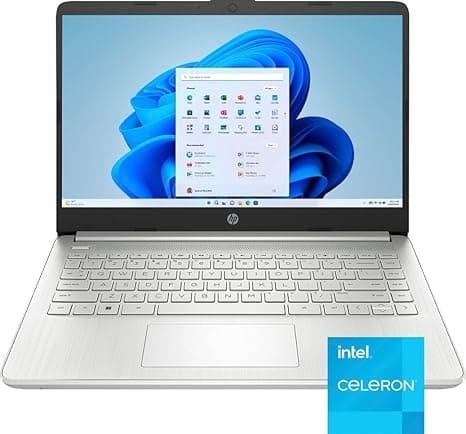
1. Processor (CPU)
The Central Processing Unit (CPU) is often called the brain of a laptop. It is responsible for executing instructions, performing calculations, and coordinating the activities of all other hardware components. Every action you perform—opening a program, browsing the web, editing a document, or playing a game—requires the CPU to process information.
Modern processors contain multiple cores, allowing them to handle several tasks simultaneously. They also feature advanced technologies that improve efficiency, speed, and power consumption. The CPU directly affects how quickly a laptop responds to commands and how well it performs under demanding workloads.
Key Functions
- Executes software instructions
- Processes data and calculations
- Manages multitasking
- Coordinates communication between hardware components
- Supports productivity, gaming, and creative applications
Common Examples
- Intel Core i3, i5, i7, i9
- AMD Ryzen 3, 5, 7, 9
-
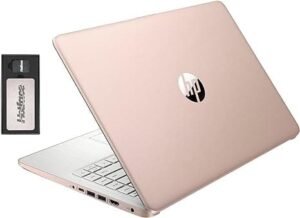 HP Stream Laptop BrightView HD with 16gb of ram and a 288 disk
 -
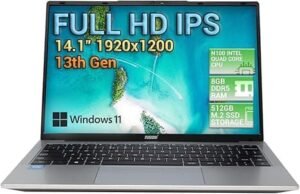 The Fusion5 14.1-inch laptop is a powerful device equipped with Windows 11 and the latest 13th generation processor
 -
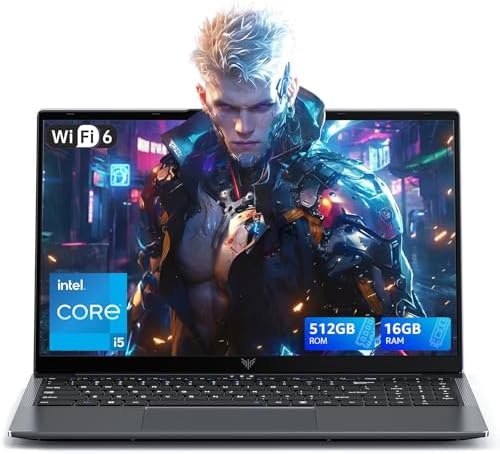
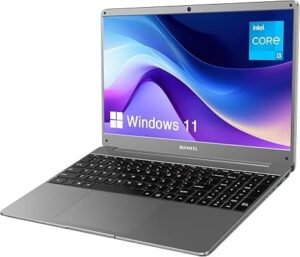 The latest Windows 11 laptop features a stunning 15.6-inch Full HD IPS screen with a resolution of 1920 x 1080, providing vibrant visuals and wide viewing angles
2. RAM (Random Access Memory)
RAM (Random Access Memory) is the laptop’s short-term memory. It temporarily stores data and programs that are currently being used by the processor. Unlike storage drives, RAM is extremely fast, allowing the system to access information almost instantly.
The more RAM a laptop has, the more applications and processes it can handle simultaneously without slowing down. RAM is essential for smooth multitasking and efficient performance.
Key Functions
- Temporarily stores active data
- Supports multitasking
- Speeds up application performance
- Allows quick access to frequently used information
- Reduces system lag during heavy workloads
Typical Configurations
- 8 GB: Basic usage
- 16 GB: Recommended for most users
- 32 GB or more: Advanced users, creators, and professionals
Practical Example
When you have a web browser, video conference, spreadsheet, and music application open at the same time, RAM helps keep them running smoothly.


3. Storage (SSD)
Storage is the component that permanently saves your operating system, files, applications, photos, videos, and games. Most modern laptops use Solid State Drives (SSDs) instead of traditional hard disk drives (HDDs).
Unlike HDDs, SSDs have no moving parts, making them faster, quieter, more durable, and more energy-efficient. SSD technology significantly improves system responsiveness and loading times.
Key Functions
- Stores the operating system
- Saves files and documents
- Holds installed applications and games
- Retains data even when the laptop is powered off
Types of SSDs
- SATA SSD
- NVMe SSD (faster and more advanced)
Benefits
- Faster startup times
- Quick application launches
- Faster file transfers
- Improved overall performance
Practical Example
A laptop equipped with an NVMe SSD can boot Windows in seconds and load large applications much faster than a traditional hard drive.
-
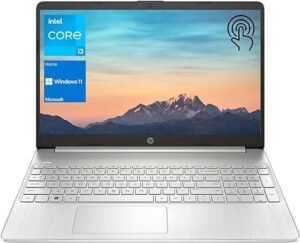
The HP portable laptop is a powerful and versatile device featuring a stunning 15.6″ HD touchscreen that enhances your viewing experience
-
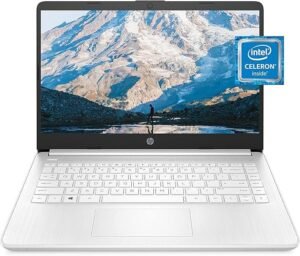
The HP Laptop 14 is a compact and efficient device powered by the Intel Celeron N4020 processor. With 4GB of RAM, it ensures smooth multitasking for everyday tasks such as browsing the web
-
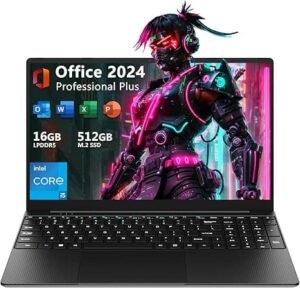
The 15.6-inch laptop is a powerful and versatile device, equipped with an Intel Core i5 processor that ensures smooth performance for both work and play
4. Display
The display is the screen that visually presents all information generated by the laptop. It serves as the primary interface between the user and the computer, affecting productivity, entertainment, gaming, and overall user experience.
Modern displays vary in size, resolution, panel technology, brightness, refresh rate, and color accuracy. These factors determine how sharp, vibrant, and comfortable the viewing experience will be.
Key Characteristics
Screen Size
Measured diagonally in inches, typically ranging from 11 to 17 inches.
Resolution
Determines image sharpness and clarity:
- HD (1366 × 768)
- Full HD (1920 × 1080)
- QHD (2560 × 1440)
- 4K UHD (3840 × 2160)
Panel Types
- IPS (excellent colors and viewing angles)
- OLED (perfect blacks and vibrant colors)
- TN (faster response times but lower image quality)
Refresh Rate
Measures how many times the screen updates per second:
- 60 Hz
- 120 Hz
- 144 Hz
- 240 Hz and higher
Benefits
- Clear text and images
- Better visual comfort
- Enhanced gaming experience
- Improved content creation accuracy
- More immersive multimedia consumption
Practical Example
A high-resolution OLED display can provide vibrant colors and deep contrast, making movies, photo editing, and presentations appear more realistic and engaging.
Conclusion
These four components form the foundation of every laptop:
- The Processor (CPU) performs calculations and manages system operations.
- RAM provides fast temporary memory for active tasks.
- Storage (SSD) permanently saves files and applications.
- The Display presents information visually and defines the user experience.
Together, they determine a laptop’s speed, efficiency, responsiveness, and overall capability, whether it is used for work, education, content creation, or entertainment.
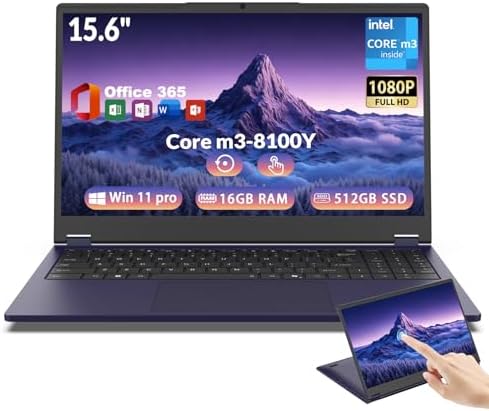
- 【360° Touchscreen Convertible Design】Switch Instantly Between Work, Study, and Entertainment. Tired of carrying multiple…
- 【Core m3-8100Y Performance for Everyday Productivity】Smooth Multitasking for Work, Study, and Daily Tasks. Powered by th…
- 【Fast 16GB RAM & 512GB SSD Storage】Smooth Performance Without the Frustration, Say goodbye to slow startups, lagging app…